LifeBites
Six screens designed in Figma and built in Next.js in 48 hours, at ElleHacks 2025
Details
- Project
- LifeBites, a web app that turns what is in your fridge into a recipe that fits your diet
- Type
- Hackathon project, ElleHacks 2025 (Canada's largest hackathon for women and non-binary students), in person
- Role
- High-fidelity Figma screens, the front-end pages in Next.js and Tailwind CSS, a little help on the back end, and part of the pitch and demo
- Team
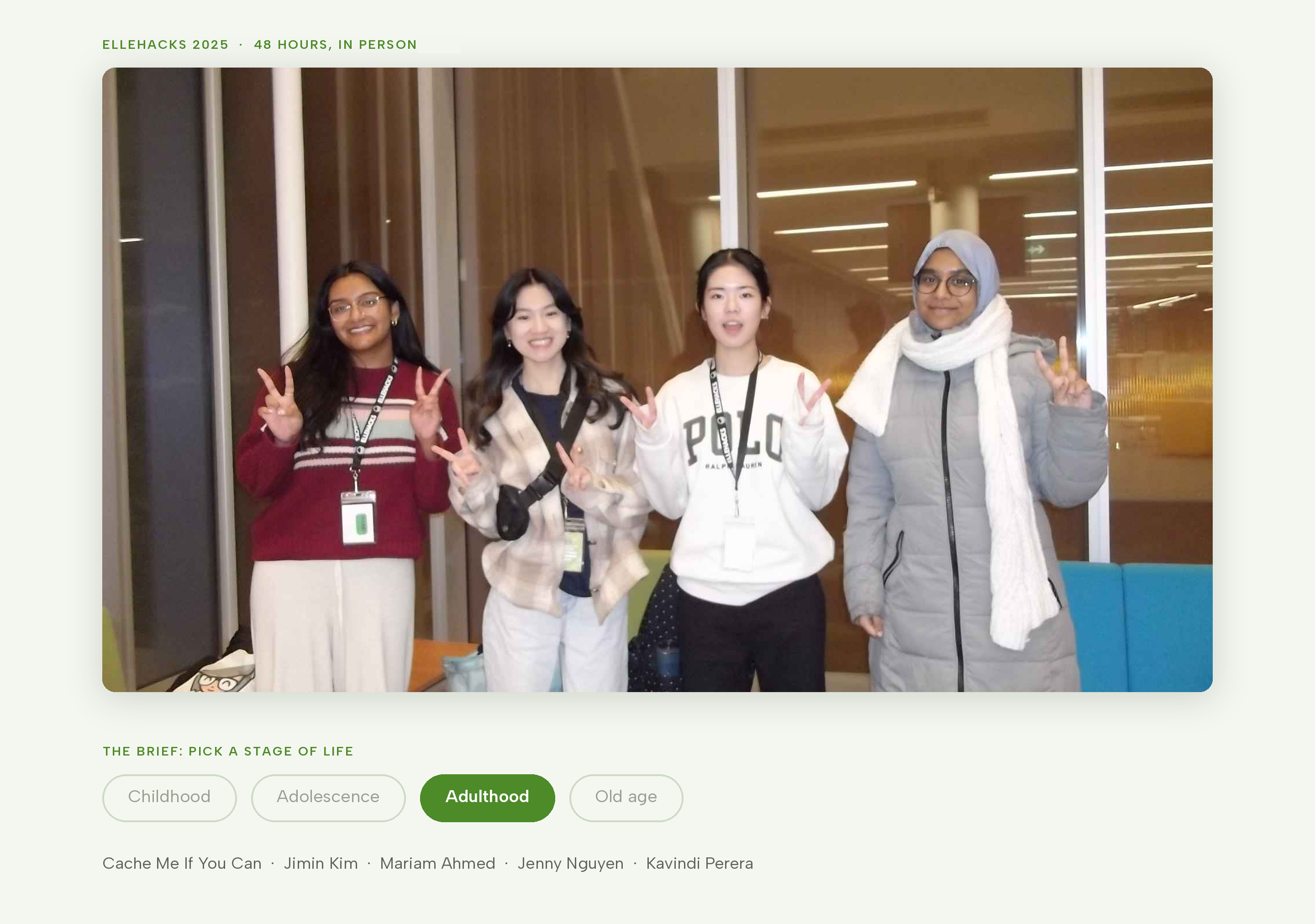
- Cache Me If You Can: Jimin Kim (design, front end) · Mariam Ahmed (design, planning) · Jenny Nguyen (development) · Kavindi Perera (development)
- Tools
- Figma, Next.js, Tailwind CSS, Firebase (Auth, Firestore), Gemini API
Overview
- The problem
- Cooking for a group means working with the ingredients you have and the dietary restrictions of everyone eating.
- The decision
- We used a profile for each person, then put meal selection, diners and ingredients on one recipe screen. I focused on desktop layouts for the laptop demo.
- What we made
- We demonstrated the working recipe flow within 48 hours. I designed six screens and built the front-end pages in Next.js and Tailwind CSS.
At a glanceSix screens designed in Figma and built in Next.js, inside 48 hours.
01 / Why we made it
ElleHacks gave every team the same brief: pick a stage of life (childhood, adolescence, adulthood, old age) and solve a problem from it. We picked adulthood, and the problem we picked was dinner.
Adults who study, work, or do both cook for themselves with whatever is in the fridge. Recipe apps assume you will shop for the recipe. Real life goes the other way: you have three ingredients and a food allergy and twenty minutes. On top of that, most of us were not only cooking for ourselves. A roommate who is vegetarian, a parent who cannot have dairy, a friend coming over. So the question we set ourselves was: can an app take what you have, who you are feeding, and what they cannot eat, and give you something to cook right now?
02 / What I decided, and why
Make the profile the unit, not the user.
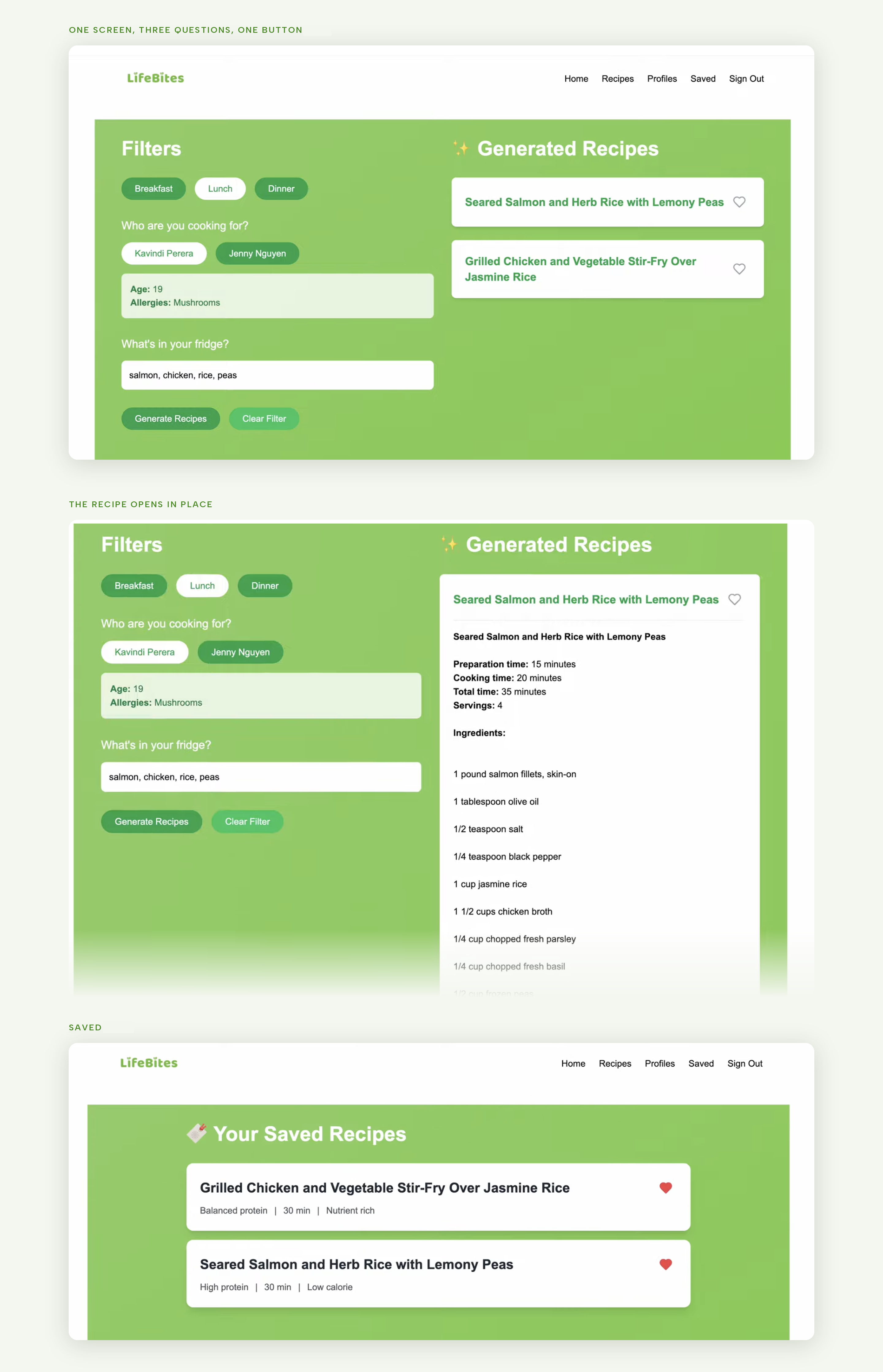
This is the decision that made LifeBites different from a recipe generator. Most diet apps have one profile: yours. In LifeBites you create a profile for each person you cook for (name, age, allergies, dietary restrictions), and before you generate a recipe you pick who is eating. The Profiles page is a grid of cards with a big "+" to add someone. The recipe page asks "Who are you cooking for?" and shows those people as chips.
We wanted something a family or a group of friends could use together, so the recipe had to know about everyone at the table, not just the person holding the phone.

Ask three things, in order, on one screen.
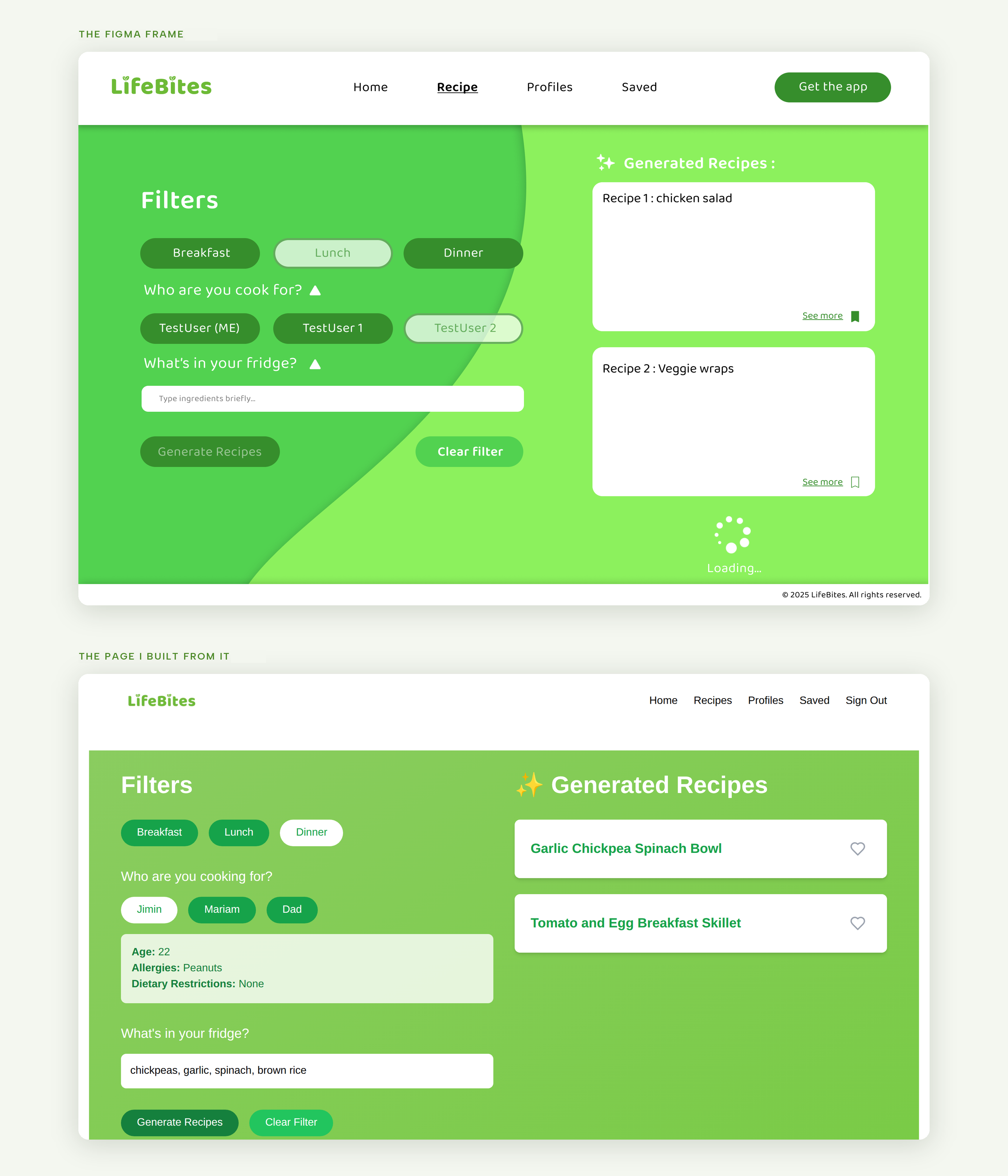
The recipe page has one job, so I put the whole flow on one screen instead of a wizard. Left side, top to bottom: which meal (breakfast, lunch, dinner), who you are cooking for, what is in your fridge. Then one button, "Generate recipes". Right side: the recipes Gemini returns. Clicking a recipe title opens it on the same screen, with instructions, an ingredient list, and a nutrition breakdown. A heart saves it to a Saved page.
With 48 hours, the flow had to be obvious on the first try, for the judges and for the developers building it. One screen, three questions, one button was easy to explain and easy to build.
Green, and the whole team on board with it.
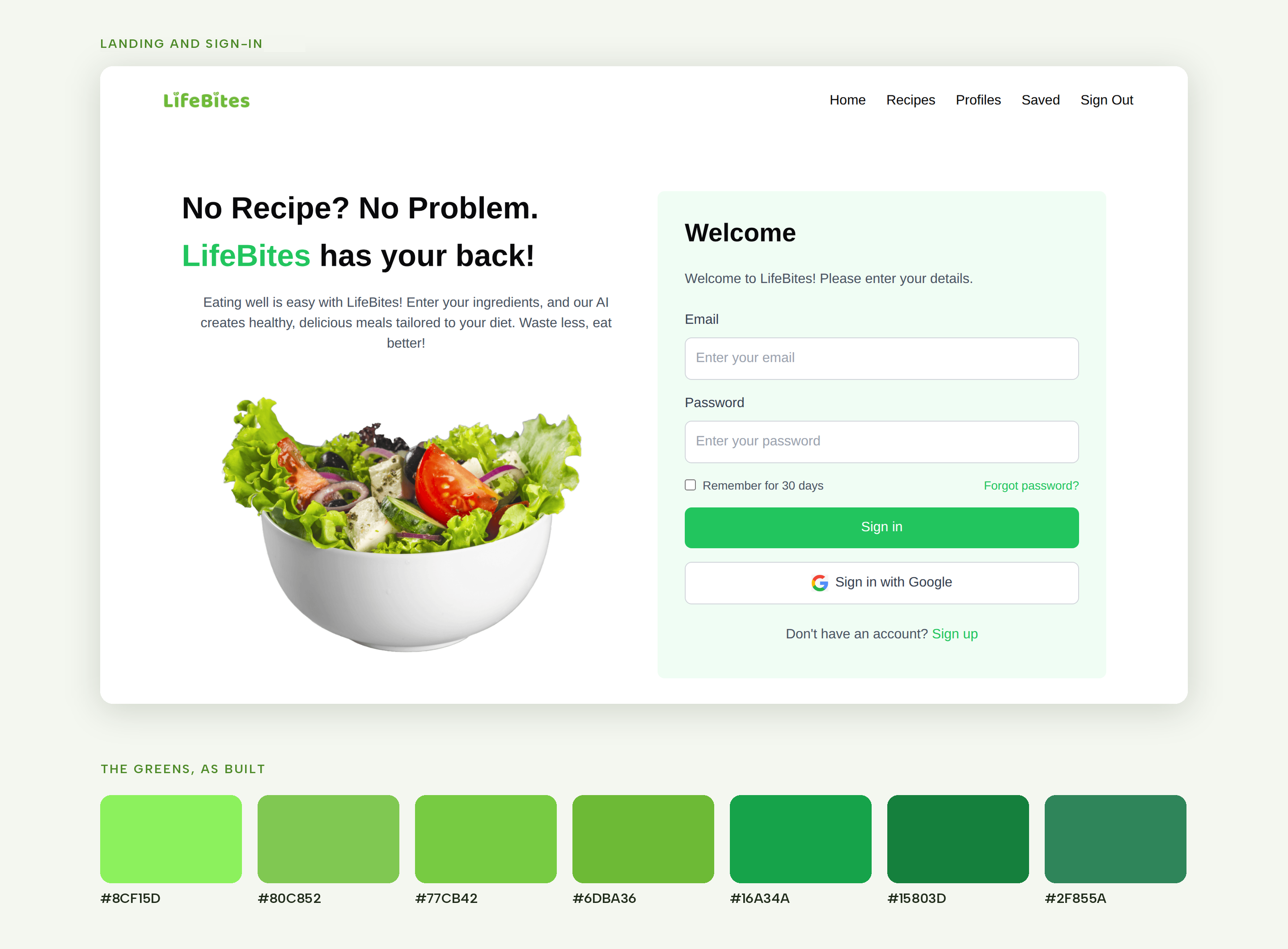
I proposed the green palette because the app is about healthy food, and I wanted the first screen to say that before anyone reads a word. The landing page is a white panel with a bowl of vegetables and the line "No recipe? No problem. LifeBites has your back!" against a green curve. The same green runs through the buttons, the chips, and the recipe cards so the six screens feel like one product. I made the case to the team and they went with it.
Cut the phone layouts.
I designed all six screens at desktop size (1280 x 832) and stopped there. Phone frames were on my list and I dropped them when it became clear the developers needed finished desktop screens more than they needed a second set of layouts. The demo would be on a laptop anyway.
View the full Figma screen map

Build the front end from my own screens.
Once the screens were done I switched to code. I built the pages in Next.js and Tailwind CSS: landing and sign-in, profiles, profile creation, recipes, recipe detail, and saved. Jenny and Kavindi set up Firebase for accounts and stored profiles and saved recipes in Firestore, and they wrote the API route that sends the ingredient list to Gemini and parses the JSON recipe it returns. I helped on the back end where I could, mostly wiring the pages to the data the developers had set up.
One note on the repository: we coded through the night taking turns on two laptops, so the commits carry my teammates' names rather than mine. The pages above are the ones I wrote.
Building from screens I had drawn a few hours earlier was the best part of the weekend. Every layout question had already been answered, so I could spend the time on Tailwind and on getting the pages to talk to Firebase.
03 / Results
- 6 screens designed in Figma and built in Next.js and Tailwind CSS within the 48-hour limit
- Working end to end at the demo: create profiles, pick a meal and who is eating, enter ingredients, get recipes from Gemini, open the details, save favourites
- Demo video and source code public (links below)
We did not place. The judges' reaction was good, but the prizes went elsewhere, and the winning project in our stage-of-life format was a memory-recall app for older adults. No usage numbers, because a hackathon app has no users past Sunday afternoon.
What I learned
The winner taught me more than our own project did. We read "adulthood" and went straight to a problem we already had. The winning team read "old age" and went looking for a problem they did not have, and found a bigger one. Next time I want to think wider about who a product could be for before settling on the first problem we recognise.
The other thing: designing the screens and then building them myself made the handoff almost free. The screens were the spec.